Microsegmentation for VMs, bare metal and cloud instances.
An agent on each workload observes the connections that reach it and programs the host’s native firewall — nftables on Linux. No orchestrator required.
How it works
Observe. Simulate. Enforce.
Policy is built from observed connections, tested against them, then enforced — with the evidence shown at each step.
FIG 01
Watch first. Change nothing.
An agent on each workload observes the connections that reach it.
Each agent streams them to the control plane. No rule is applied yet.
FIG 02
Test the policy against real traffic.
Label-based policy runs against the observed flows: each is allowed or would-block.
Nothing on the host changes. You see the evidence before you decide.
FIG 03
Promote what you simulated.
The control plane sends the ruleset, and the agent programs it into nftables.
The would-block flow is now blocked. Nothing else changes.
The console
See every flow a policy would block before you enforce it.
The views behind each step: the traffic agents observed, the label-based policy you write, what saving it would change on each host, and the evidence before you enforce.
Flow map
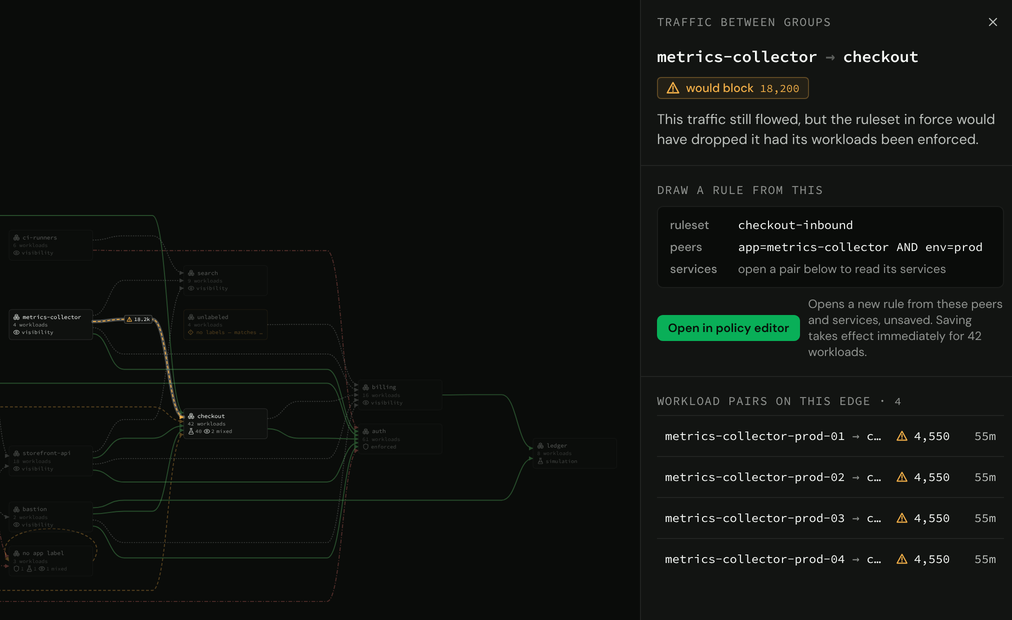
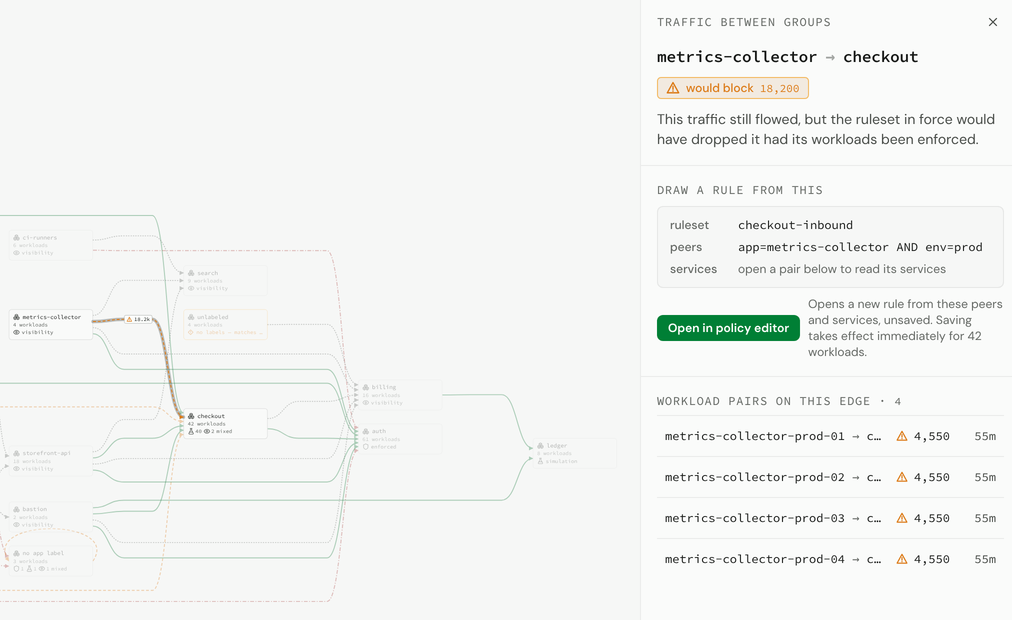
Real traffic between label groups, built from the flow records each agent streams. Select an edge to see its workload pairs and what the ruleset in force would do with them.
Label-based policy
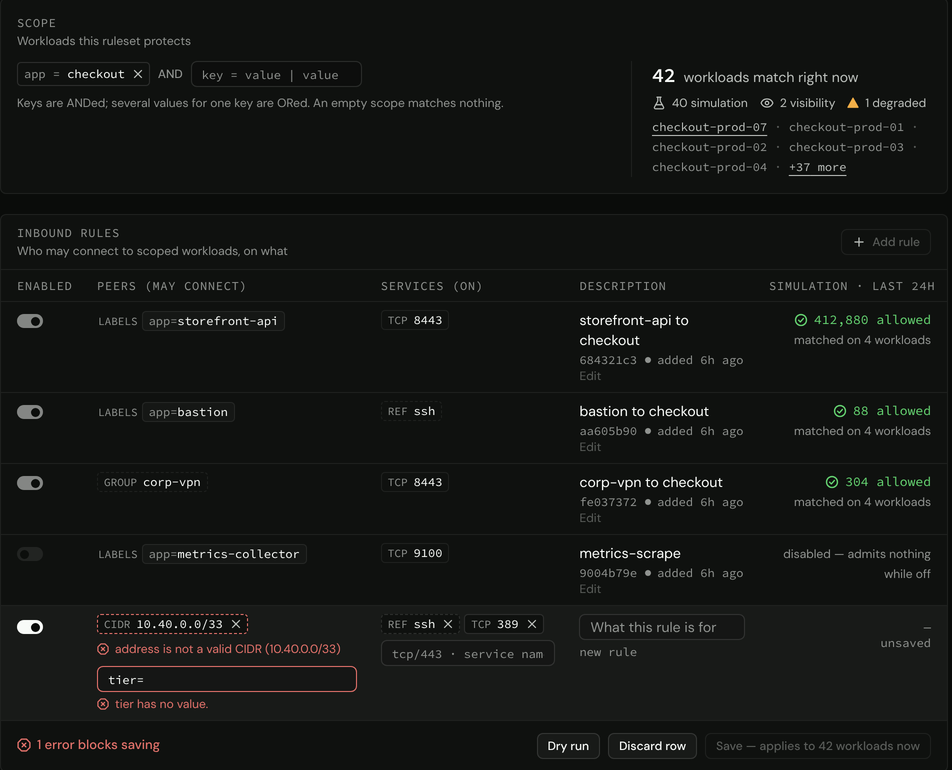
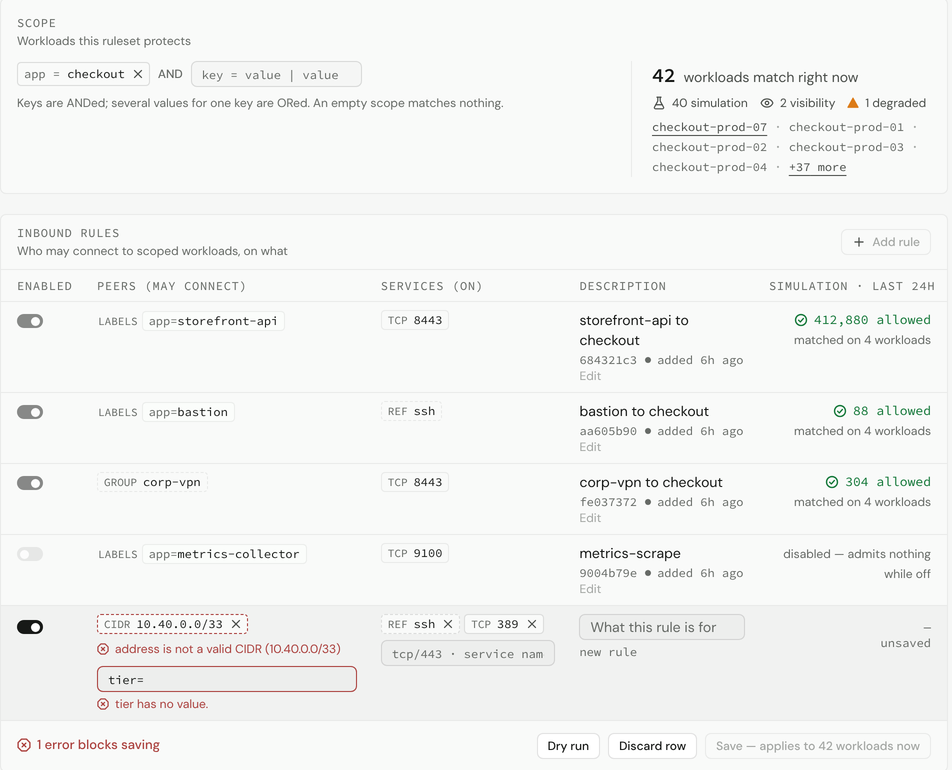
A ruleset scopes workloads by label and admits peers on named services. Each rule is validated as you write it, and an invalid one blocks saving.
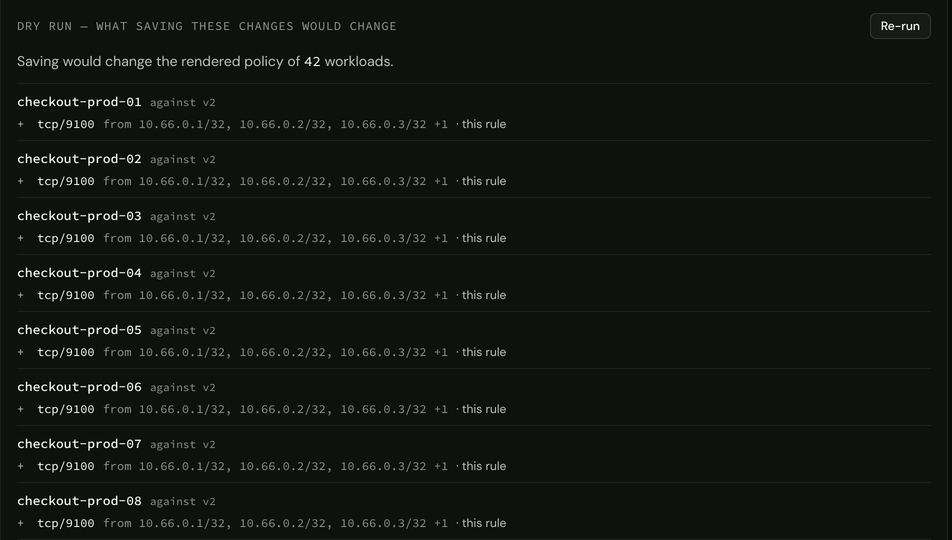
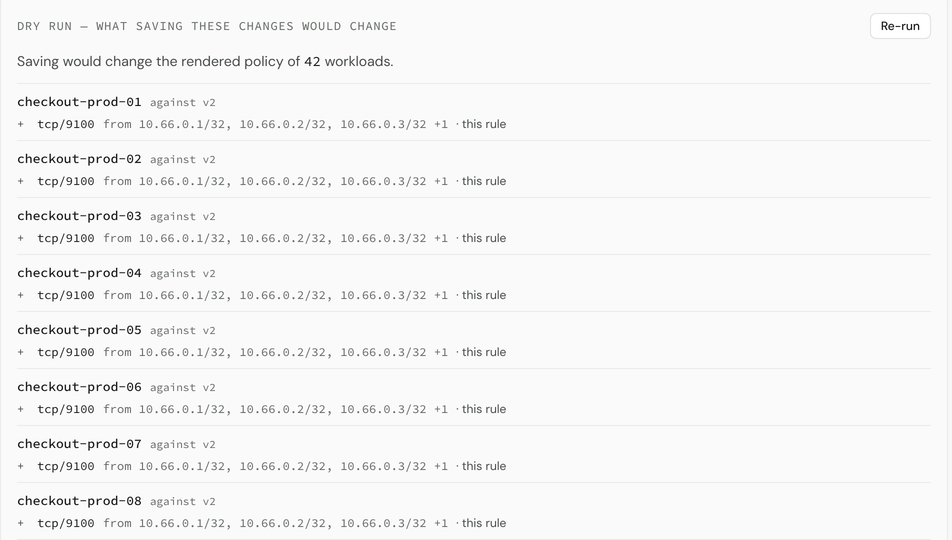
Dry run
Before you save, a dry run shows what would change in each workload’s rendered policy: concrete addresses, resolved from labels by the control plane.
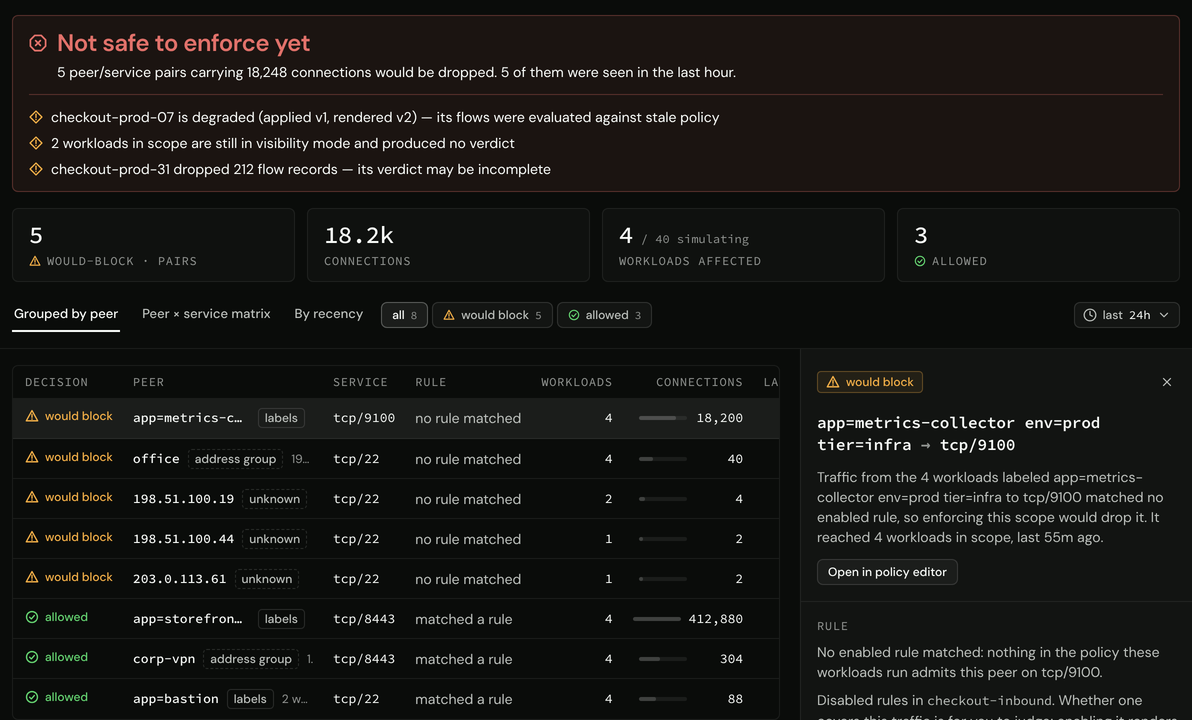
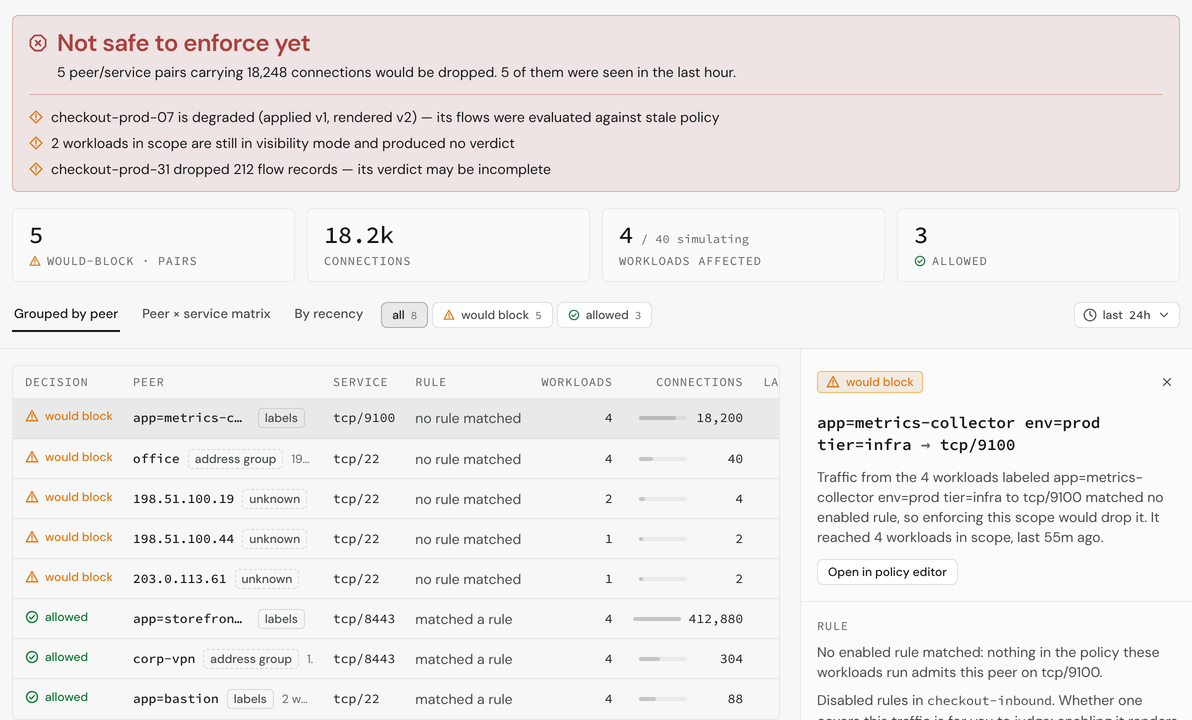
Simulation review
The verdict and the evidence behind it, grouped by peer: every flow the policy would block, before it is enforced.
Principles
Why it works this way
East-west traffic is the blind spot.
Traffic between servers is where visibility runs out. An agent on each workload observes the connections that reach it, and the control plane renders real traffic as a live dependency map.
You cannot safely enforce what you cannot see.
Every policy is simulated against observed traffic first, with the evidence shown. Promoting past unsupported evidence takes an explicit acknowledgment.
The host already has a firewall.
The control plane turns label-based policy into per-host rulesets, and the agent programs them into the host’s native firewall: one owned nftables table on Linux, with a local kill switch.
Central planes fail by being chatty.
Each agent holds one persistent stream to the control plane. Nothing polls.
Fail static.
Losing the control plane changes nothing on any host. Policy persists on local disk.
- Clone the repository and start the stack.
git clone https://github.com/innerwall-dev/innerwall.git cd innerwall make dev - Set the operator password.
docker compose exec innerwall /innerwall operator set-password - Open the console at
https://localhost:8080/The certificate is self-signed on first start, so the browser shows a warning. Its SHA-256 fingerprint is in
docker compose logs innerwall.